Case Study
Designing Human-Centered
Automation for Fitness Coaches
Balancing AI and human expertise in training plan creation
Role
UX Research · Interaction Design
Prototyping · Frontend
Duration
8 months
Tools
Figma · React · TypeScript
Impact
Reduced planning time &
improved workflow efficiency
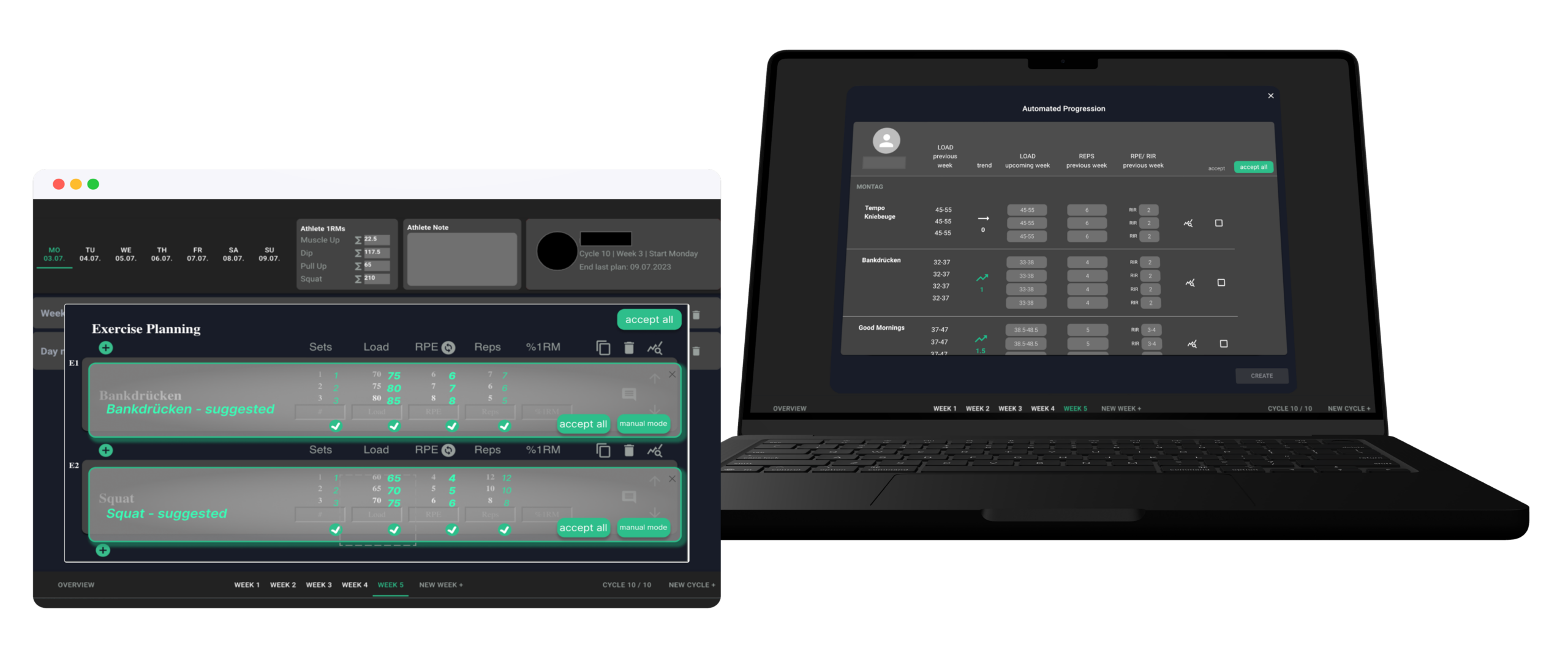
The challenge
Fitness coaches dedicate extensive weekly hours to creating individualized training plans. The work is repetitive, time-consuming, and demands frequent performance data review.
Existing tools either fully automate decisions — removing human control — or require entirely manual input. Neither approach respects the coach's expertise.
Central Question
"How to support users to reduce repetitive tasks while preserving their control and expertise?"
Users & Context
Target Users
- Fitness trainers (powerlifting / bodybuilding)
- Part-time professionals
- Managing multiple clients
Key Insights
- High motivation, value personal coaching
- Planning consumes most of their time
- Open to technology but cautious about automation
Research Methodology
26 trainers · mixed experience · managing <10 clients each
Problems identified
01
Repetitive manual workflows
02
Context switching when reviewing trainee performance
03
Trust concerns regarding automation
Design principles
Augment, don't replace
Assist rather than replace expert judgment.
Transparency builds trust
Explain how suggestions are generated.
Maintain user control
Enable review, modification, and override at every step.
Reduce effort, not quality
Speed up the workflow without compromising accuracy.
Three levels of automation
Coaches could choose their preferred level — from full manual control to AI-generated suggestions — at any point in their workflow.
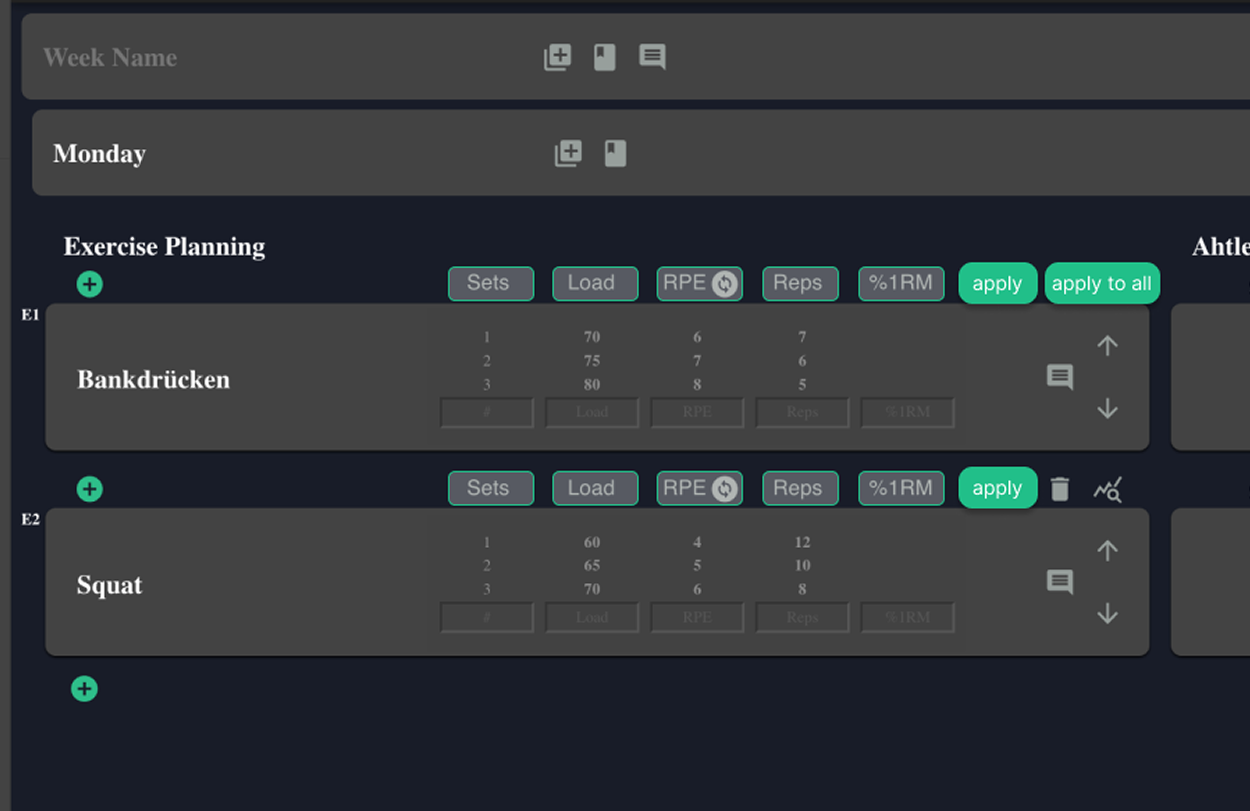
Manual
BaselineFull coach control. No AI assistance — every value is entered by hand.
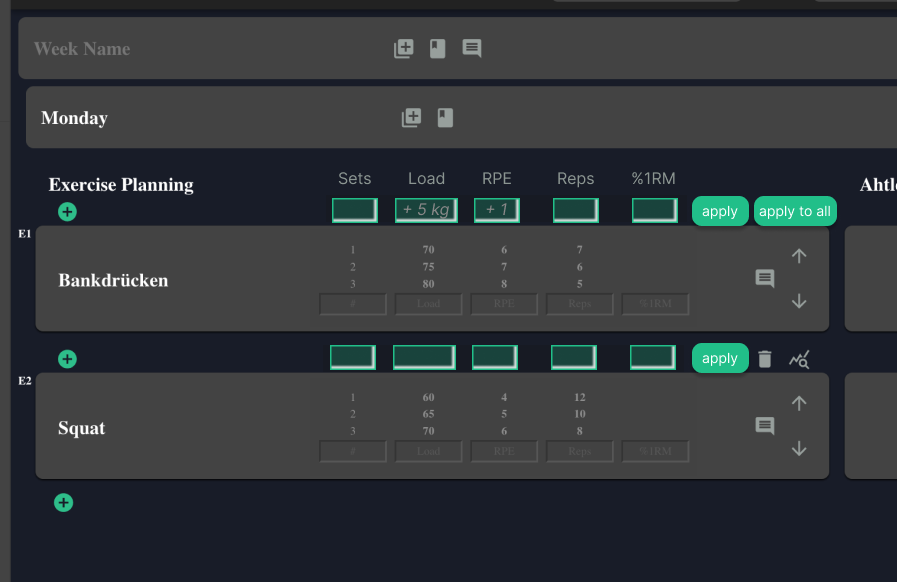
Assisted
RecommendedAI pre-fills suggested increments. The coach reviews and applies changes.
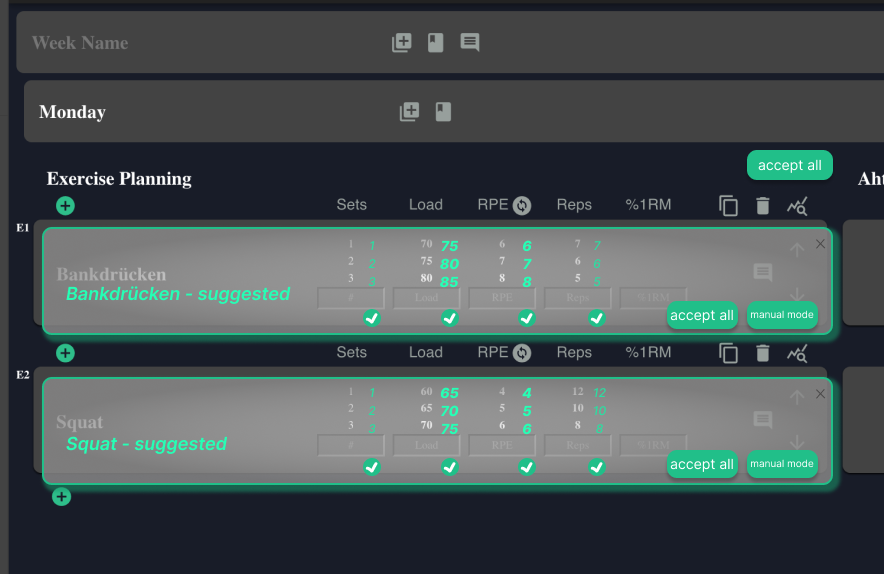
Automated
Full automationAI generates the full plan. Coach accepts, adjusts, or switches to manual mode.
From Lo-Fi Prototype to Implementation
The modal interface evolved across three design iterations based on user feedback from the 6-week study.
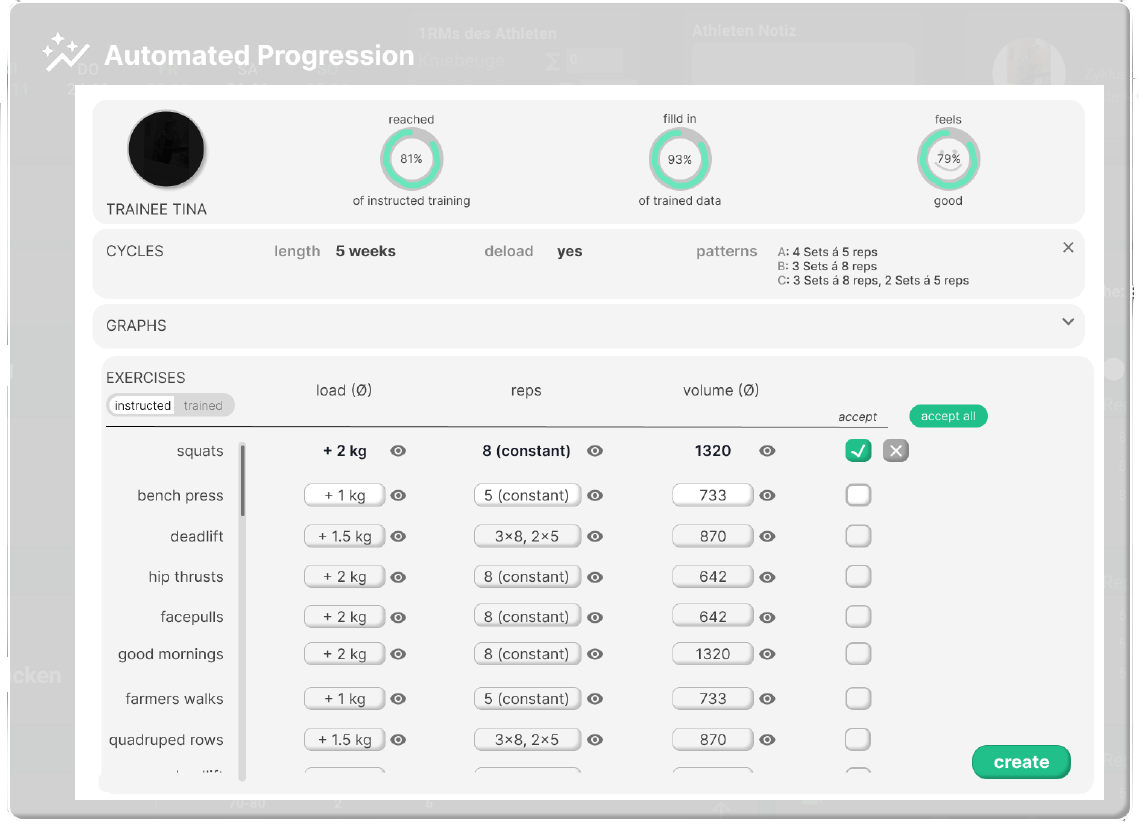
Lo-Fi Prototype
Light-mode wireframe exploring the automated suggestion layout with circular progress stats.
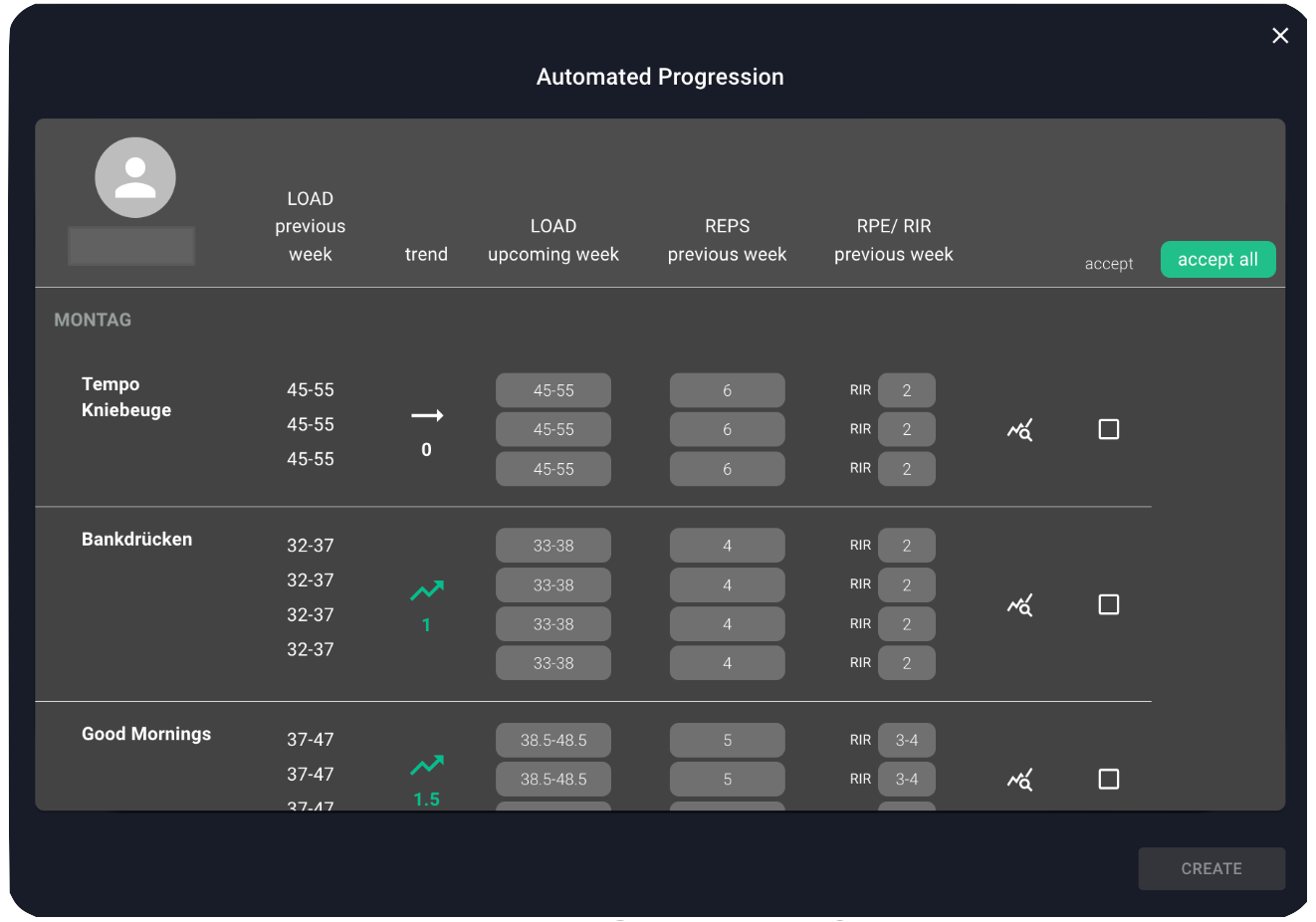
Mid-Fi Iteration
Dark UI refine: previous-week context columns added to help coaches judge suggestions.
Final Implementation
Production-ready interface with live trainee data, trend indicators, and one-click accept.
Key learnings
"Trust is the core UX challenge in AI"
Users reject loss of control, not automation itself.
"Efficiency ≠ fewer actions"
Users remained active but worked faster through improved information design.
"Human-centered automation works"
Optimal results: human decides, system suggests.
"Reduce effort, not quality"
Speed shouldn't compromise personalization or accuracy.
Explore more