Case Study
From Interruption
to Interaction
Designing a context-aware event app for customer engagement
Role
UX/UI Design · Research
Interaction Design · Mobile Dev
Duration
8 months
Tools
Figma · Swift · Xcode
Focus Areas
Mobile UX · Push Notifications
Customer Journey · Service Design
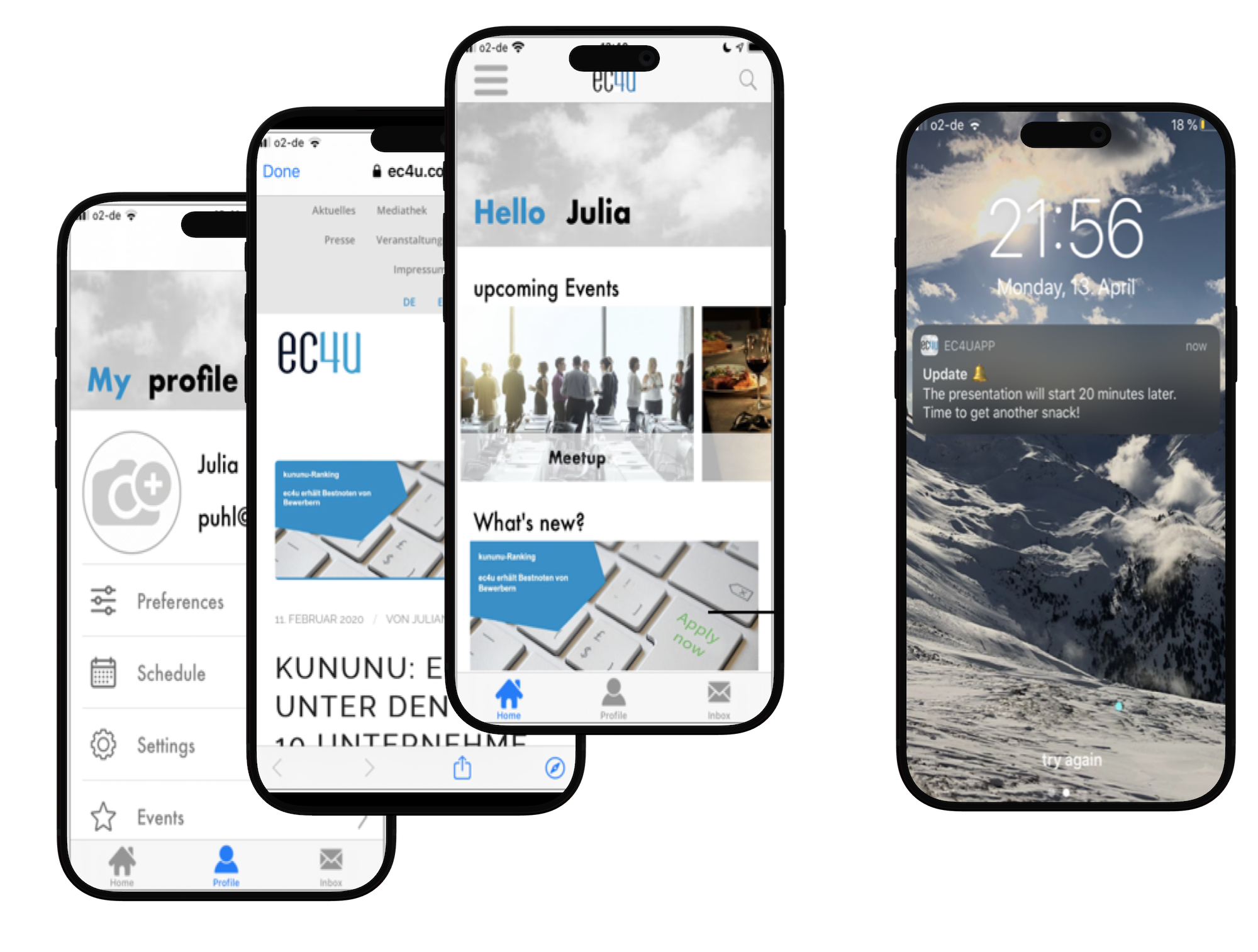
The challenge
Push notifications are one of the most powerful tools for customer engagement — but they are widely misused. Most notifications feel like interruptions rather than helpful touch-points.
01
Too generic and not personalized
02
Poorly timed relative to user context
03
Disconnected from the user's current situation
Companies struggle to deliver effective multi-channel communication that respects users while driving engagement.
Central Question
"How to design context-aware push notifications for customer engagement across the customer lifecycle?"
Key insights
Multi-channel
Customer communication happens across multiple channels simultaneously.
Timing matters
Effectiveness depends on timing, relevance, user context and channel choice.
Push is powerful
Push notifications are immediate, visible and interactive — when done right.
User journey mapping
Instead of designing notifications as standalone messages, I approached the problem from a user journey perspective — mapping communication across each stage of an event lifecycle.
Registration
Welcome
Reminder
During event
Follow-up
Central Insight
"Notifications are most useful when they match the user's situation in time and context."
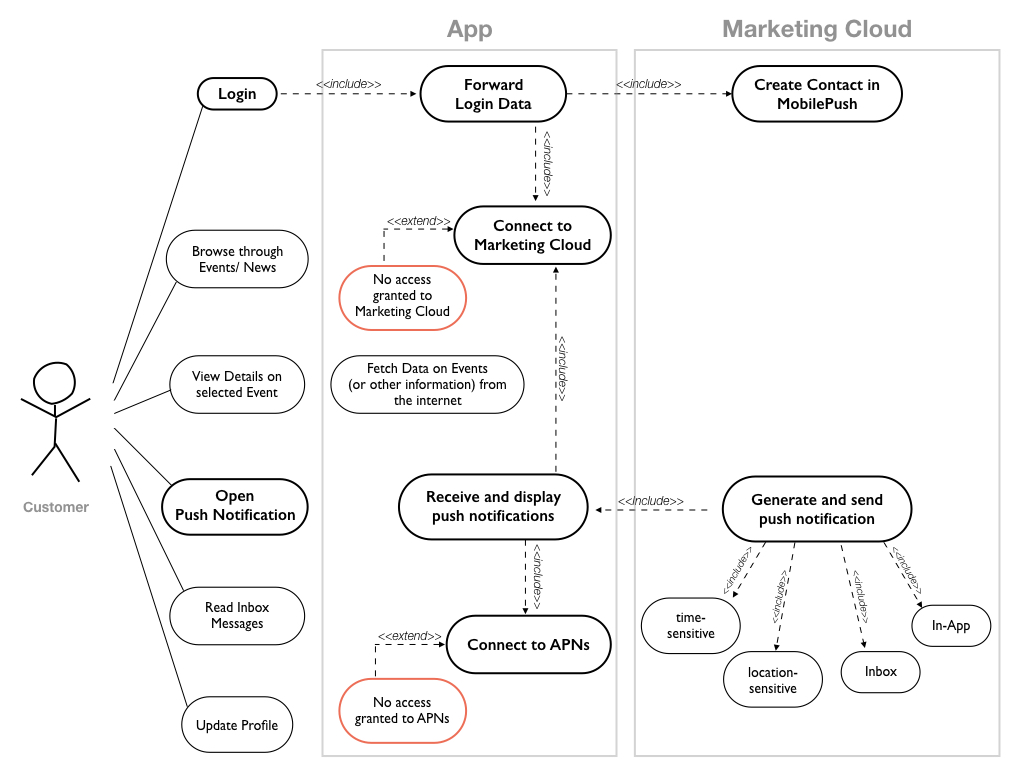
Use case diagram
Mapping use cases to the most appropriate push notification type for each user situation.
Key design decisions
Context-aware triggers
Time-based for event reminders, location-based for welcome messages, inbox for persistent information.
Persistence through inbox
Important notifications are saved in an in-app inbox so users can revisit them at any time.
Low-friction interaction
Notifications are short and actionable, requiring minimal effort to engage with.
Supporting, not interrupting
Every notification is designed to guide the user toward useful content, never to disrupt.
The app
An iOS event app built to explore how context-aware push notifications support the customer journey from registration through follow-up.
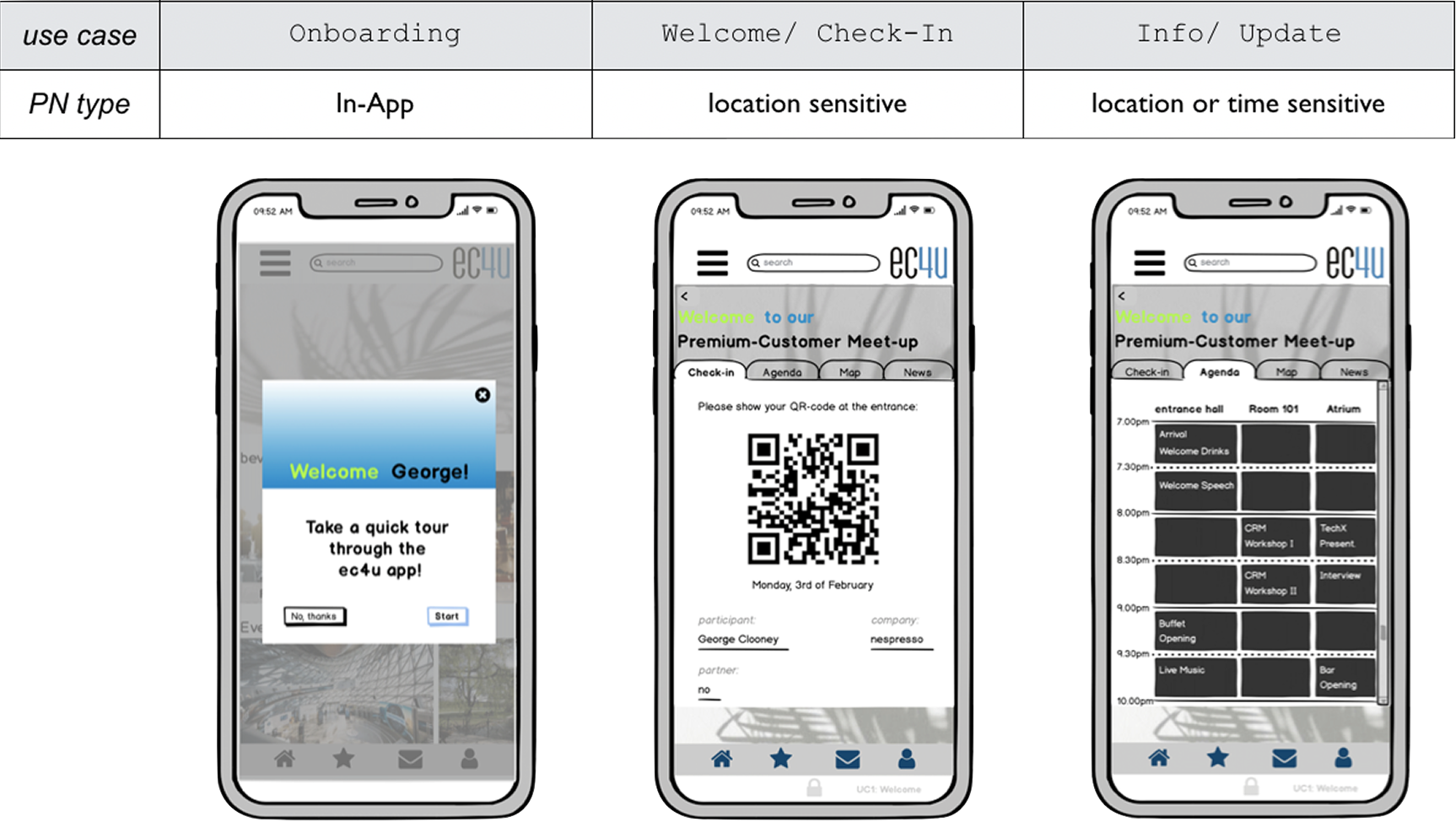
Types of push notifications
Mapping different use case scenarios to suitable types of push notification.
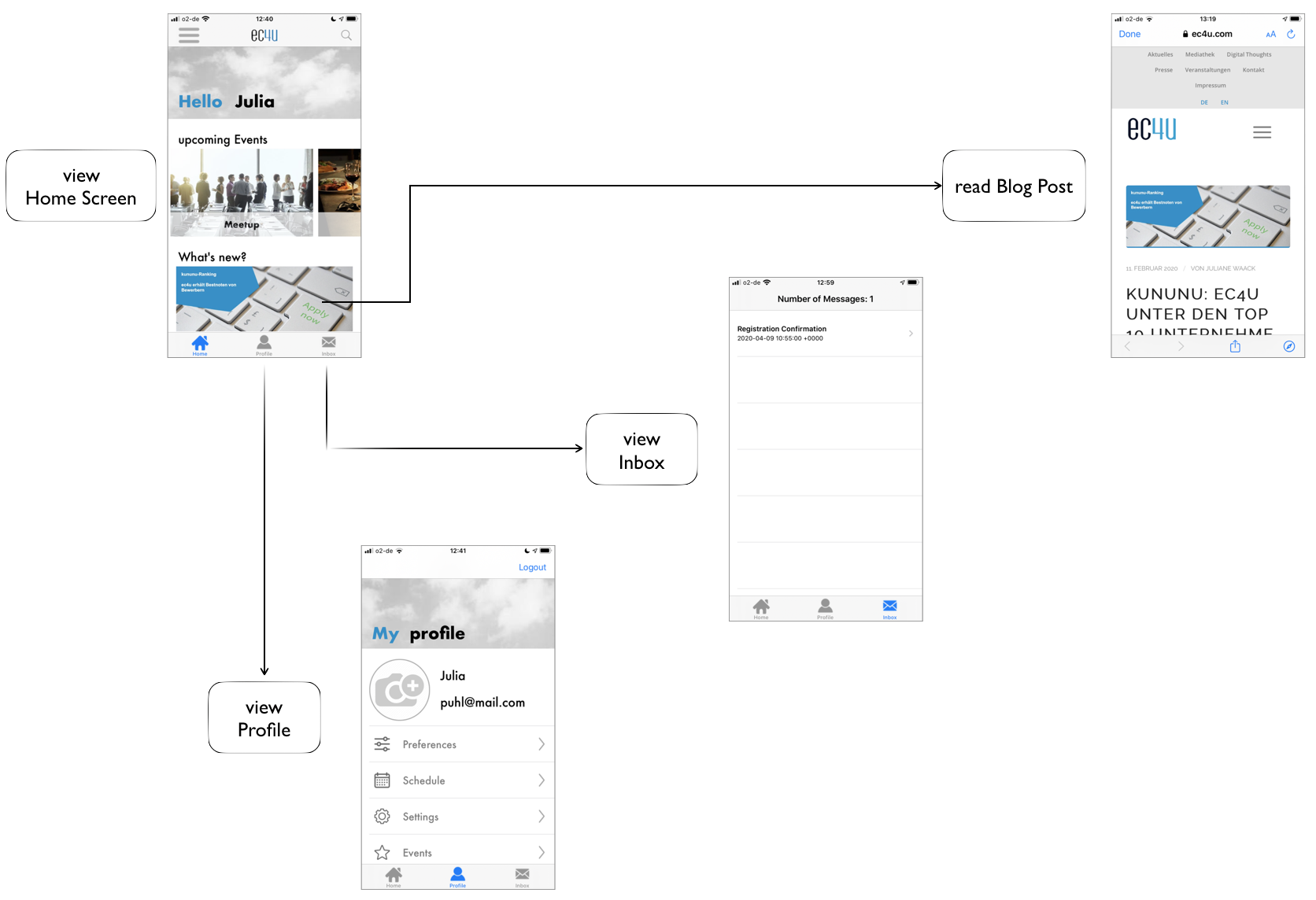
Home & User Flow
The home screen and navigation flow, designed around the event lifecycle and notification entry points.
Push notifications in action
Real push notifications sent through the EC4UAPP across the full event lifecycle — from registration confirmation to the post-event farewell.
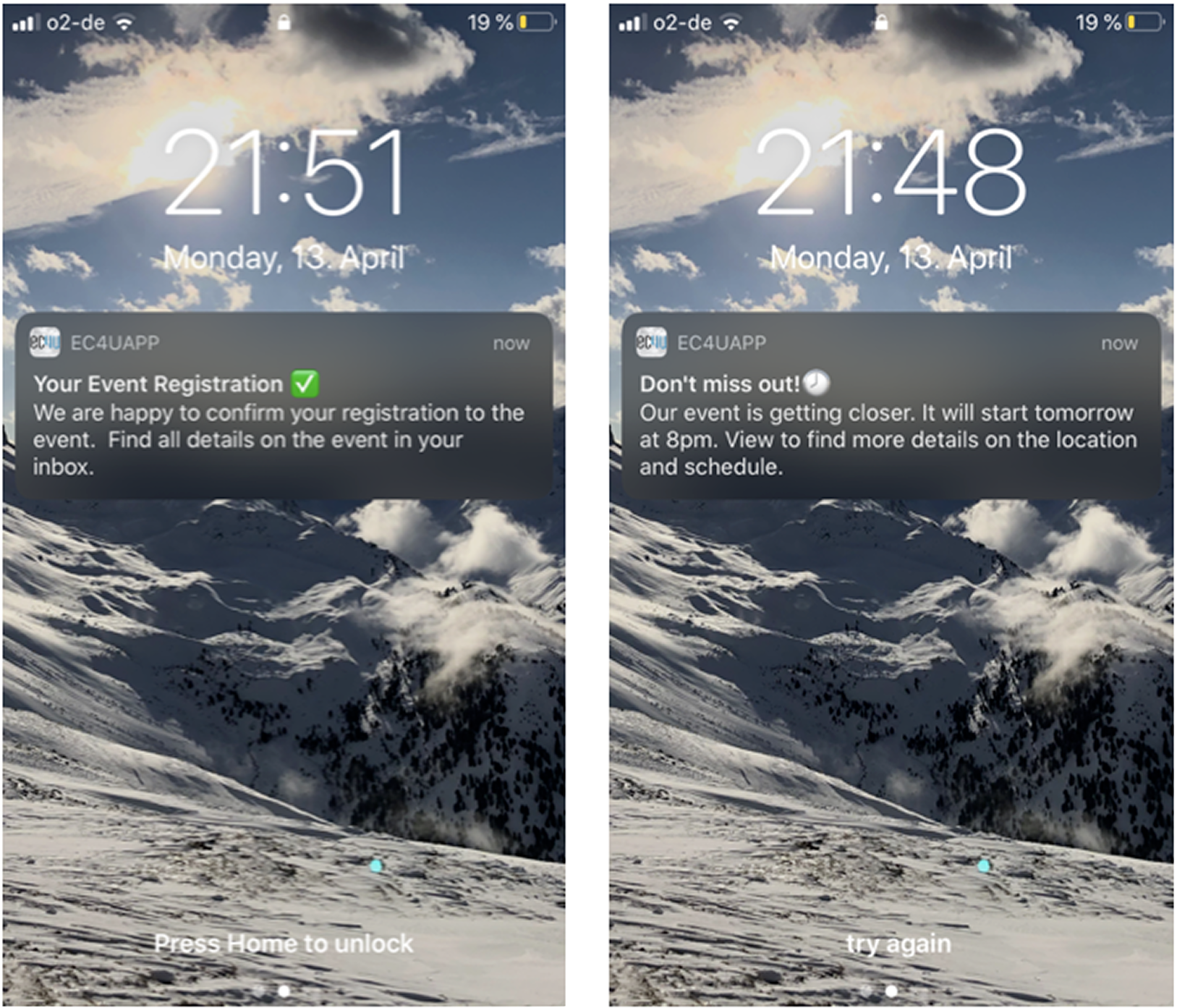
Registration · Reminder
A confirmation notification on sign-up (left) and a timely event reminder 24 hours before (right), mapped to the first two lifecycle stages.
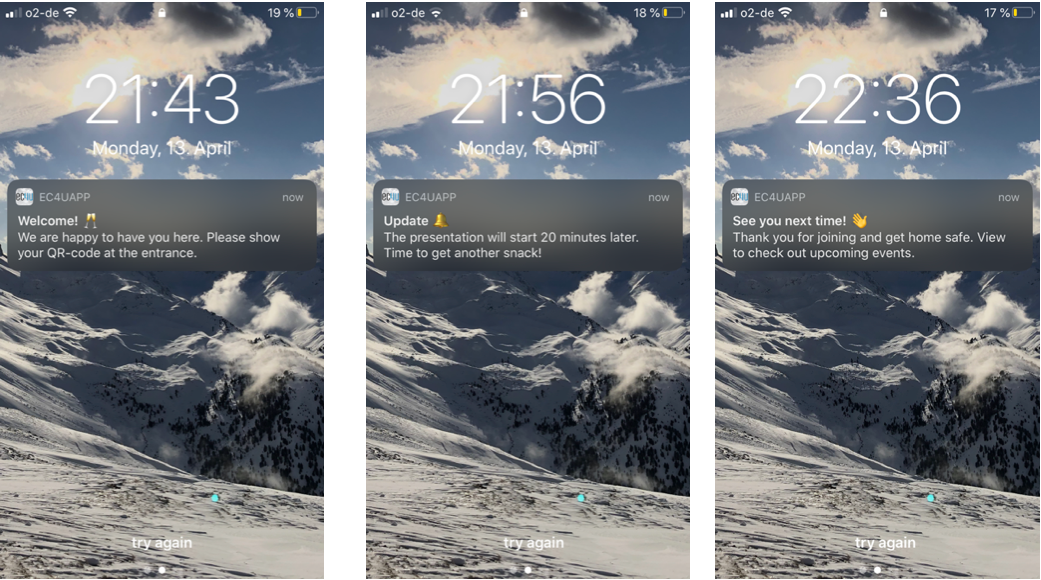
Welcome · During event · Follow-up
Location-triggered welcome at the venue (left), a real-time schedule update during the event (centre), and a personalised farewell message afterwards (right).
Key takeaways
"Notifications are not a feature — they are part of a system"
Their value depends entirely on timing, relevance and the interaction they invite.
"UX extends beyond screens"
Designing this experience required thinking across devices, systems, and user situations.
"Context is everything"
The same message can be helpful if well-timed, or annoying if irrelevant.
Explore more